CA Inter Exam Form Filling Mistakes That Can Get You Disqualified
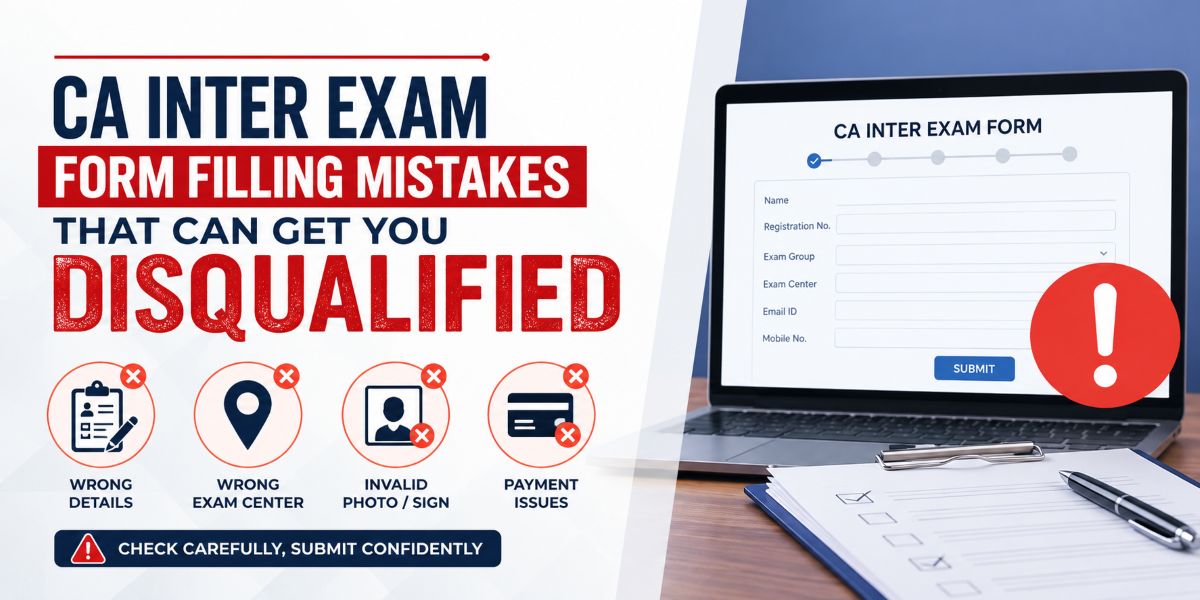
CA Inter Exam Form Filling Mistakes That Can Get You Disqualified
The CA Intermediate examination is one of the most important milestones in a Chartered Accountancy student's journey. While most students focus heavily on preparation, many overlook a critical step that happens before the exam itself—filling out the CA Inter exam form correctly.
Every examination cycle, several candidates face issues such as rejected applications, hall ticket delays, incorrect exam center allocation, and, in extreme cases, disqualification due to errors made during the form submission process.
Understanding these common mistakes can save you from unnecessary stress and ensure that your hard work is not wasted because of a technical or administrative error.
Why Accurate CA Inter Exam Form Filling Matters
The Institute of Chartered Accountants of India (ICAI) uses the information provided in your exam form to verify your eligibility, generate your admit card, assign your examination center, and maintain your academic records.
Even a small mistake can create complications during verification or examination day. Therefore, students must treat the exam form submission process with the same seriousness as exam preparation.
Most Common CA Inter Exam Form Filling Mistakes
Entering Incorrect Registration Details
One of the most frequent mistakes students make is entering incorrect registration information.
This may include:
- Wrong registration number
- Incorrect date of registration
- Spelling mistakes in the candidate's name
- Mismatch between ICAI records and exam application details
Why This Is Risky
ICAI cross-checks the information entered in the exam form with its database. Any mismatch may lead to verification issues and delays in processing the application.
How to Avoid It
Before submitting the form, verify all details from your ICAI student dashboard and registration documents.
Selecting the Wrong Examination Group
CA Intermediate students can appear for:
- Group I
- Group II
- Both Groups
Many candidates accidentally choose the wrong option while filling out the form.
Common Examples
- Intending to appear for both groups but selecting only Group I
- Choosing Group II instead of Group I
- Missing group selection due to rushing through the application
Once the correction window closes, changing this selection can become difficult.
Choosing an Incorrect Exam Center
The examination center selected during form submission determines where you will appear for the exam.
Common mistakes include:
- Selecting the wrong city
- Confusing similarly named centers
- Choosing a center far from the current residence
- Not checking center availability before submission
Impact on Students
Incorrect center selection can lead to travel difficulties, accommodation expenses, and unnecessary exam stress.
Uploading Improper Photograph or Signature
ICAI has specific guidelines regarding photograph and signature uploads.
Common errors include:
- Blurred photographs
- Old photographs
- Wrong file size
- Incorrect file format
- Cropped signatures
- Unclear signature images
Possible Consequences
Applications with non-compliant images may face processing delays or require corrections during the correction window.
Ignoring Eligibility Requirements
Many students assume they are automatically eligible for the examination without verifying ICAI's eligibility criteria.
Common Issues
- Registration validity concerns
- Incomplete educational requirements
- Missing mandatory compliance requirements
- Incorrect assumption regarding eligibility dates
Students should always verify the latest ICAI notification before submitting the exam form.
Payment-Related Mistakes Students Often Make
Incomplete Payment Transactions
Many candidates complete the form but fail to verify whether the payment was successfully processed.
This usually happens because of:
- Internet interruptions
- Banking issues
- Payment gateway errors
- Closing the browser before confirmation
What Students Should Do
Always download and save:
- Payment receipt
- Confirmation page
- Application acknowledgment
Never assume the application is complete until payment status shows as successful.
Waiting Until the Last Date
Submitting the form on the final day is one of the biggest mistakes students make.
Risks of Last-Day Submission
- Website traffic overload
- Server errors
- Slow payment gateways
- Missing deadlines due to technical issues
Submitting the form early provides sufficient time to resolve unexpected issues.
Mistakes Related to Personal Information
Incorrect Contact Details
Your email address and mobile number are used for important communication regarding examinations.
Students often make mistakes such as:
- Typing the wrong email address
- Entering an inactive mobile number
- Using someone else's contact information
Why It Matters
Important updates regarding the examination may not reach you if your contact details are incorrect.
Mismatch in Name and Identity Documents
The name entered in the exam form should match the details available in:
- ICAI records
- Government-issued identity proof
- Examination-related documents
Even minor spelling differences can create verification issues later.
Overlooking the ICAI Correction Window
Not Reviewing the Submitted Form
Many students submit the form and never review it again.
This is risky because:
- Typographical errors may remain unnoticed
- Wrong group selection may go undetected
- Exam center mistakes may not be identified in time
Missing the Correction Opportunity
ICAI generally provides a correction window after exam form submission.
Students should utilize this period to carefully review:
- Personal details
- Group selection
- Exam center
- Uploaded documents
Missing the correction window means living with avoidable mistakes.
Technical Mistakes That Can Cause Problems
Using Multiple Devices During Submission
Switching between mobile phones, tablets, and computers while filling the form can sometimes create session-related issues.
For a smoother experience:
- Use a stable internet connection
- Prefer a desktop or laptop
- Complete the application in a single session
Not Saving Application Copies
Many students fail to download and store their application documents.
Always save:
- Submitted application form
- Payment receipt
- Confirmation page
- Relevant screenshots
These documents can be useful if any discrepancy arises later.
Checklist Before Submitting Your CA Inter Exam Form
Before clicking the final submit button, verify the following:
- Registration number is correct
- Name matches ICAI records
- Group selection is accurate
- Examination center is correct
- Photograph meets ICAI guidelines
- Signature is clear and properly uploaded
- Email ID is active
- Mobile number is correct
- Eligibility requirements are satisfied
- Payment is successful
- Confirmation receipt is downloaded
A five-minute review can prevent weeks of unnecessary complications.
Best Practices for Error-Free CA Inter Exam Form Submission
Start Early
Do not wait until the deadline. Early submission gives you enough time to fix issues if they arise.
Read ICAI Instructions Carefully
Every examination cycle may include updated instructions. Read the official notification thoroughly before starting the application.
Keep Documents Ready
Before beginning the process, keep the following handy:
- ICAI registration details
- Passport-size photograph
- Signature image
- Valid identity proof
- Payment method
Review Everything Twice
The most effective way to avoid mistakes is simple—double-check every field before submission.
Conclusion
Filling the CA Inter exam form may seem like a routine administrative task, but even small mistakes can create significant problems. Incorrect registration details, wrong group selection, payment failures, mismatched information, and missed correction opportunities are among the most common reasons students face unnecessary complications.
By starting early, verifying every detail carefully, and following ICAI guidelines, you can ensure a smooth application process and focus entirely on what truly matters—preparing for the CA Intermediate examination.
Frequently Asked Questions (FAQs)
Can ICAI reject my CA Inter exam form due to incorrect details?
Yes. Significant discrepancies in registration details, eligibility information, or required documentation may lead to application issues and possible rejection.
What happens if I select the wrong group in the exam form?
You may be allowed to make corrections during the ICAI correction window. After that period, changes may not be possible.
Is it mandatory to download the exam form confirmation page?
Yes. It is highly recommended to keep a copy of the submitted form and payment confirmation for future reference.
Can I change my exam center after submitting the form?
ICAI may allow changes during the correction window, subject to applicable rules and availability.
What should I do if my payment fails but money is deducted?
Wait for the official payment status update. If the issue persists, contact ICAI support and keep the transaction reference details ready.
How early should I submit my CA Inter exam form?
Submitting at least one to two weeks before the deadline is advisable to avoid server issues and last-minute complications.
Can an incorrect photograph lead to application problems?
Yes. Photographs that do not comply with ICAI guidelines may require correction and can delay application processing.
Does ICAI provide a correction window every exam cycle?
ICAI generally provides a correction facility, but students should always check the latest official examination notification for confirmation.