The ICAI SSP Portal (Self Service Portal) is an important online platform provided by the Institute of Chartered Accountants of India (ICAI), allowing students, members, and registered users to manage various ICAI-related services digitally. Many users face difficulties while accessing the portal, especially during first-time login, password recovery, OTP verification, or when dealing with technical errors. This complete guide on How to Log In to ICAI SSP Portal will explain the entire login process step-by-step with images, helping both new and existing users access their ICAI SSP accounts easily and resolve common login-related issues.
What Is the ICAI SSP Portal?
The ICAI SSP Portal is a centralized digital platform developed by ICAI to provide online access to various services for Chartered Accountancy students and members. Through this portal, users can manage registration details, update personal information, complete course-related activities, submit applications, and access different ICAI facilities from a single platform. The SSP Portal reduces dependency on offline processes and allows users to manage their ICAI-related tasks conveniently from anywhere.
Things You Need Before Logging In to ICAI SSP Portal
Before accessing the ICAI SSP Portal, users should keep some essential information and technical requirements ready to ensure a smooth login experience. A valid username or registration number, password, and access to the registered mobile number or email address may be required for verification. Additionally, using an updated browser, a stable internet connection, and a compatible device can help prevent unnecessary technical issues during the login process.
Required Login Details: To access the ICAI SSP Portal, users need specific login credentials provided during registration or account creation. These usually include the ICAI registration number or username, account password, and registered contact details for verification purposes. Entering accurate information is important because repeated incorrect login attempts may temporarily restrict account access. Users should carefully check their credentials before submitting the login form.
Device and Browser Requirements: For the best ICAI SSP Portal experience, users should access the website using an updated device and modern web browser. Browsers such as Google Chrome, Microsoft Edge, or other updated browsers generally support the portal’s features properly. If users experience loading issues, login errors, or display problems, clearing browser cache, updating the browser, or trying another device can often resolve the issue.
How to Log In to ICAI SSP Portal (Step-by-Step Guide)
Logging into the ICAI SSP Portal involves a few simple steps, but first-time users may find the process confusing. This section explains the complete login procedure, starting from visiting the official ICAI SSP Portal login page to entering credentials, completing OTP verification, and accessing the dashboard. Adding screenshots for each step will make the process easier for users to follow without confusion.
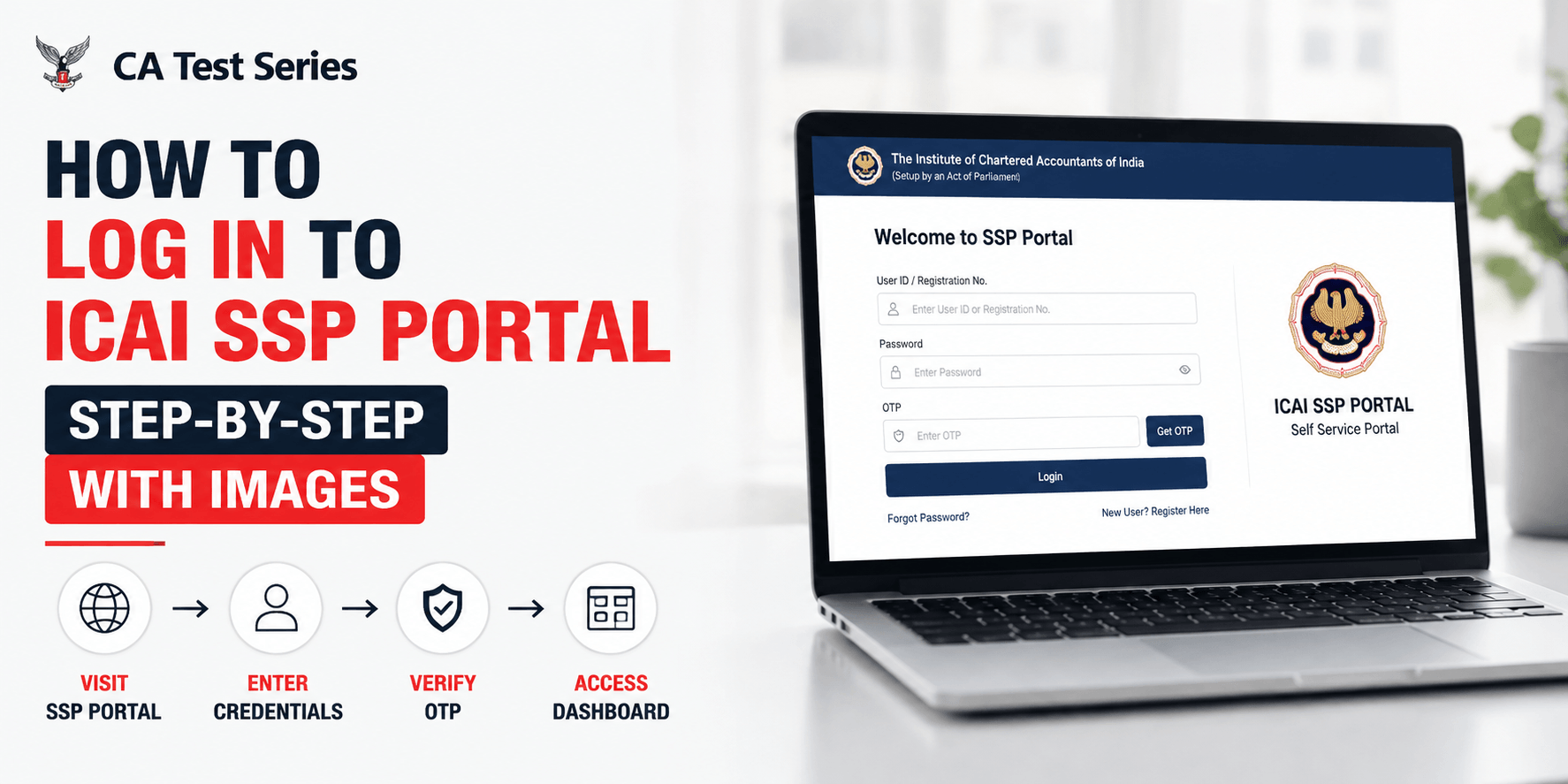
Visit the Official ICAI SSP Portal Login Page: The first step is to visit the official ICAI SSP Portal login page. Users should always access the portal through the official ICAI website to maintain account security and avoid fraudulent websites. Once the login page opens, users will find the required fields for entering their username, password, and other verification details. A screenshot of the official login page can help users identify the correct portal easily.
Enter Your Username and Password: After opening the login page, users need to enter their username or registration number along with the correct password in the provided fields. It is important to carefully check spelling, numbers, and password capitalization before submitting the details. Incorrect login information can prevent successful access to the account. A screenshot showing the login fields can help users understand where each detail needs to be entered.
Complete OTP Verification (If Required): For additional security, ICAI SSP Portal may require OTP verification during the login process. Users need to enter the OTP received on their registered mobile number or email address to complete verification. If the OTP is not received, the issue may occur due to network problems, incorrect contact details, or temporary delays. This section explains the OTP verification process and provides guidance for handling common OTP-related problems.
Access Your ICAI SSP Dashboard: Once the username, password, and OTP verification are successfully completed, users can access their ICAI SSP dashboard. The dashboard provides access to different ICAI services, account information, applications, and other important options. Understanding the dashboard layout helps users efficiently manage their ICAI-related activities after completing the login process.
How to Log In to ICAI SSP Portal for the First Time
First-time users may need to complete some additional steps before accessing their ICAI SSP account. New users may need to activate their account, create login credentials, and complete initial profile setup. This section explains the first-time login process clearly so that new ICAI users can access the portal without difficulty.
New User Registration Process: New ICAI users may need to complete the registration or account activation process before logging into the SSP Portal. During registration, users are required to provide accurate personal, academic, and identification details. These details are important because they are used for future account management and accessing ICAI services. This section explains the basic registration process and important requirements for creating an account.
Setting Up Password for First Login: During the first login, users may need to create or update their account password. A strong and secure password helps protect personal information and prevents unauthorized access. This section explains password requirements, security recommendations, and best practices for maintaining a safe ICAI SSP account.
How to Reset ICAI SSP Portal Password
Forgetting a password is a common issue faced by many users, but ICAI SSP Portal provides a password recovery option to regain account access. Users do not need to create a new account; they can reset their existing password through the recovery process. This section explains the complete password reset procedure and the steps required to create a new password.
Steps to Recover Forgotten Password
To recover a forgotten password, users need to select the “Forgot Password” option on the login page and provide the required account details. After completing the verification process through OTP or other available methods, users can create a new password and regain access to their account. This section explains each recovery step clearly so users can solve password-related issues quickly
Tips to Avoid Future Login Problems
To prevent future login issues, users should follow basic security practices such as storing login credentials safely, keeping registered mobile numbers and email addresses updated, and avoiding sharing passwords with others. Regularly checking account information and maintaining updated security details can make the ICAI SSP Portal experience safer and more convenient.
Common ICAI SSP Portal Login Problems and Solutions
While using the ICAI SSP Portal, users may experience different technical and account-related problems. Issues such as incorrect passwords, OTP failures, browser errors, or temporary server problems can prevent successful login. This section covers the most common ICAI SSP Portal login problems and provides practical solutions to help users identify and resolve these issues effectively.
Unable to Access ICAI SSP Portal
Sometimes users may be unable to access the ICAI SSP Portal even after entering correct login details. This can happen due to incorrect credentials, temporary server issues, browser compatibility problems, or internet connection errors. Users should verify their login information, refresh the browser, clear cache, and try accessing the portal from another browser or device before seeking technical support.
Forgot Username or Registration Details
Some users may forget their ICAI username, registration number, or account-related details over time. In such situations, users can use available recovery options to retrieve their information and regain account access. This section explains how users can recover forgotten details and provides suggestions for keeping important account information safely stored for future use.
OTP Not Received During Login
Not receiving OTP during login is a common problem that can occur due to network issues, email delays, incorrect registered details, or temporary system problems. Users should check their mobile network, verify registered contact information, wait for a short period, and request a new OTP if required. This section explains the possible reasons behind OTP issues and their solutions.
ICAI SSP Portal Showing Technical Errors
Technical errors such as page loading problems, system errors, or unexpected portal issues may occasionally occur while accessing ICAI SSP Portal. These problems can be caused by browser settings, outdated software, or temporary maintenance activities. Users can try clearing browser cache, updating software, using another browser, or contacting ICAI support if the issue continues.
ICAI SSP Portal Login for Students vs Members
Although the ICAI SSP Portal is used by both students and members, their requirements and available services may differ. Students mainly use the portal for registration, course-related activities, and academic services, while members use it for professional profile management and membership-related services. This section explains the differences between student and member portal usage.
Student Login Process
ICAI students use the SSP Portal to manage various activities related to their Chartered Accountancy journey. Through student login, users can access registration information, course-related services, application facilities, and other academic features. This section explains how students use the portal and what services become available after successful login.
Member Login Process
ICAI members use the SSP Portal to manage their professional account and access membership-related services. The portal allows members to update information, access ICAI facilities, and manage different professional requirements online. This section provides an overview of the member login process and the services available after accessing the dashboard.
Conclusion
The ICAI SSP Portal is an essential digital platform that allows ICAI students and members to manage important services online. By following the correct login steps, users can easily complete the How to Log In to ICAI SSP Portal process without confusion. This guide covers the complete login procedure, first-time access, password recovery, and common troubleshooting solutions to help users efficiently manage their ICAI accounts. After completing professional tasks, those looking for a peaceful break surrounded by nature can experience a relaxing luxury stay at Inika Resort, located among the beautiful coffee plantations of Virajpet, Coorg, offering a perfect balance of comfort, sustainability, and tranquillity.